Spring cleaning often means tidying up closets, but for businesses, the true clutter usually isn't just physical racks.
It might be tangled on a server rack, stored in a back office, or piled under a "handle later" label.
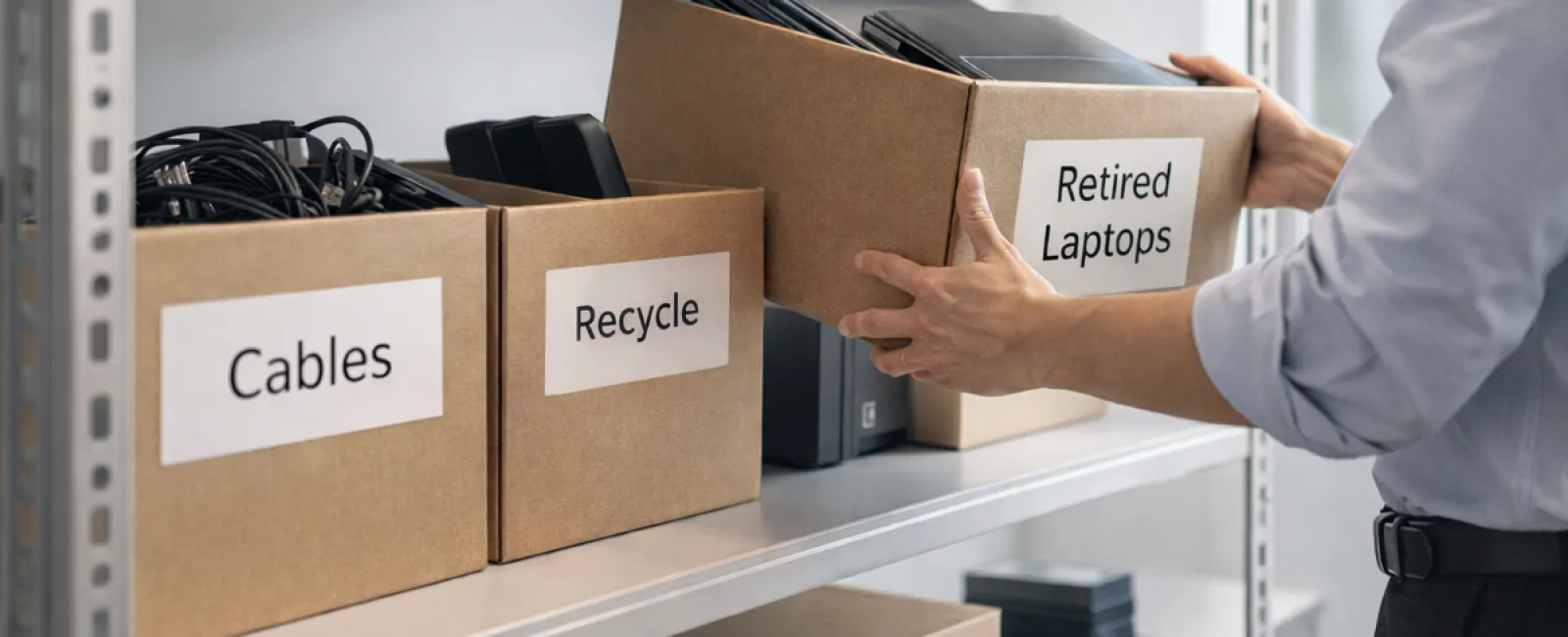
Obsolete laptops. Outdated printers. Backup drives from long-past upgrades. Boxes of cables kept "just in case."
Every company accumulates these items over time.
The real question is not if you have this excess, but whether you have a solid plan for managing it.
Technology Exists Beyond the Purchase Date — It Has a Full Lifecycle
When acquiring new tech, the reasons are clear: faster speeds, enhanced security, better capabilities, or to support growth.
Most organizations meticulously plan for technology acquisition, yet few strategize the retirement phase.
Retiring devices usually happens quietly: equipment is swapped out, set aside, then eventually cleared to free up space.
This is common practice.
What's rare is treating tech retirement with the same care and planning as purchasing.
Old technology still holds value—whether through reuse, recyclable parts, or secure data removal. Otherwise, it simply clutters your space and drains your focus.
Spring is a perfect time to assess: Which devices add value, and which are just occupying space?
A Clear Framework for Streamlined Tech Cleanup
Turn this from a vague intention into action with our straightforward four-step strategy.
Step 1: Inventory
Identify precisely what tech is being retired: laptops, phones, printers, network equipment, external drives? You can't manage what you haven't cataloged, and a quick walkthrough often reveals more than expected.
Step 2: Decide the fate
Devices generally fall into three buckets: reuse (internally or donated), recycle (through certified e-waste programs), or destroy (when sensitive data requires it). The key is to make these choices consciously—not letting hardware linger indefinitely.
Step 3: Properly prepare devices
Discipline here is crucial.
For reuse or donation, remove devices from management systems, revoke access, and confirm thorough data wiping—not just a simple factory reset. Deleting files or quick formatting doesn't erase data; it only removes links to it.
Research from Blancco revealed 42% of drives sold on eBay still contained sensitive information despite sellers' claims of proper wiping. Certified data erasure overwrites all sectors and provides a verification report.
If recycling, use certified e-waste providers—not dumpsters or curbside pickup. Note: Best Buy's recycling program is for households only, not businesses.
Commercial equipment requires certified IT asset disposition (ITAD) providers or business-focused e-waste recyclers with e-Stewards or R2 certification (directories available at e-stewards.org and sustainableelectronics.org). Your IT provider can often assist.
For destruction, opt for certified wiping or physical destruction methods like professional shredding or degaussing, and maintain records including serial number, method, date, and custodian.
This isn't paranoia—it's responsible closure.
Step 4: Document and move forward
Once equipment leaves your premises, track where it went, how it was processed, and confirm access removal. Proper documentation eliminates lingering doubts.
Devices Frequently Overlooked
Laptops often get the spotlight, but other tech deserves attention too.
Phones and tablets may still harbor sensitive emails, contacts, or authentication apps. Factory resets cover most data, but certified mobile wiping tools provide deeper security. Major brands like Apple and Samsung offer trade-in programs, even for older models, so you might earn credit toward new purchases.
Modern printers and copiers carry internal hard drives storing everything printed, scanned, copied, or faxed. If you're returning leased equipment, get written confirmation that hard drives will be wiped or removed before redeployment.
Batteries are considered hazardous waste by the EPA, and in states like California, New York, and Minnesota, businesses cannot discard rechargeable batteries in regular trash. Remove batteries when possible, tape terminals to prevent shorts, and drop them off at certified recycling locations. Call2Recycle.org offers location maps; retailers like Staples, Home Depot, and Lowe's accept rechargeable batteries at most outlets.
External drives and retired servers often linger in closets far longer than intended. They're not automatically problematic but deserve the same careful retirement process.
Important Notes on Responsible Recycling
April's Earth Day encourages sustainable choices.
Electronic waste shouldn't go to landfills. Globally, over 62 million metric tons of e-waste are generated yearly, but only about 22% is recycled properly. Batteries, monitors, and circuit boards must enter certified recycling streams. Thankfully, most communities provide certified e-waste services for this purpose.
Handling tech retirement correctly is operationally efficient, eco-friendly, and strategically wise. You can be both responsible and secure.
This approach also makes positive impressions when shared on company social media—customers appreciate quiet, effective stewardship.
Unlocking Bigger Benefits
Spring cleaning isn't just about removal—it's about creating space.
Clearing outdated tech is one aspect. But while you reassess your hardware, ask a bigger question: Does your technology support the way you want to run your business?
Hardware cycles through, but it's software, systems, automation, and processes that truly boost productivity and profits.
Properly retiring old equipment is housekeeping. Aligning your technology with your goals keeps you ahead.
How We Support You
If your equipment retirement process is already smooth and clear, that's excellent—it should feel easy and routine.
However, as you replace hardware thoughtfully, why not step back and review your broader tech setup? Are your systems integrated? Are your tools effective? Is your technology fostering growth or merely maintaining status quo?
We're happy to chat about how your tech stack and processes can enhance productivity and profitability.
No checklists. No pressure. Just practical, tailored advice on making technology work smarter for your business.
Click here or give us a call at (573) 334-4439 to schedule your free No-Obligation Conversation.
If this inspired you, feel free to share it with other business owners.
Spring cleaning isn't just closets—it's about optimizing the systems that keep your business running.